An unofficial blog that watches Google's attempts to move your operating system online since 2005. Not affiliated with Google.

Send your tips to gostips@gmail.com.

August 13, 2015

Google Knowledge Graph Adds Movie Reviews

Last week, Google's movie cards added snippets from critic reviews. You can find quotes from sites like Variety, Rolling Stone, New York Times and click the links to read the full reviews.


This new Knowledge Graph feature uses schema.org structured markup from websites. "With the recent launch of critic reviews in the Knowledge Graph, we've leveraged this technology to once again provide publishers with an opportunity to increase the discoverability and consumption of their reviews using markup. This feature, available across mobile, tablet, and desktop, organizes publishers’ reviews into a prominent card at the top of the page," informs Google. Here's the help center article for webmasters.

You can search Google for [minions reviews], [reviews for ex machina] or ask Google: "did Fantastic Four get bad reviews?" and you'll see a list of reviews. Critic reviews are also displayed in the regular cards for movies and Google plans to expand this feature to books and TV shows.


August 12, 2015

Google Card for Software Downloads

Sometimes you're trying to download a desktop software and you're searching Google for things like [chrome download], [latest java], [install itunes], [get skype]. The top result is usually the official download page, but there are various other download sites. Some of them might offer outdated versions, others might install their own software and even download adware or malware.

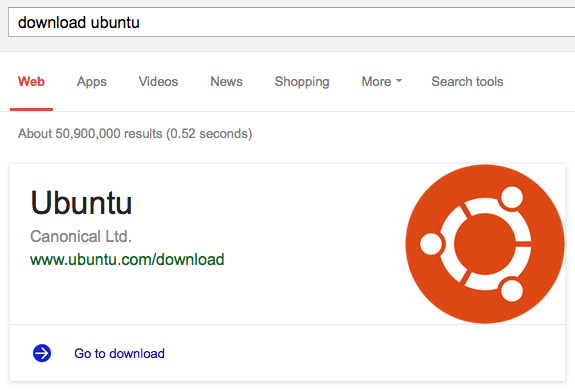
Google now shows a special card for software downloads. There's a big logo, the name of the organization that develops the application, the download URL and a link: "go to download".


The new card might seem redundant, but some users will find it reassuring. It also works for operating systems.


Just in case you're thinking that Google always picks the URL from the top search result, I found an example which shows that's not the case. When searching for [download audacity], Google's card links to SourceForge instead of Audacity's official site and that's not a good idea.

August 11, 2015

Alphabet, Google's Umbrella Holding

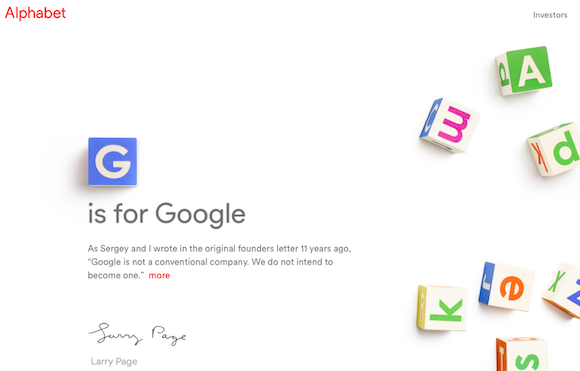
Larry Page announced a Google reorganization: Alphabet Inc is born and Google becomes a subsidiary of Alphabet Inc, just like Nest, Calico, Life Sciences and other Google companies. Larry Page is the CEO of the new company, Sergey Brin is Alphabet's President, while Sundar Pichai is Google's new CEO.


"Alphabet is mostly a collection of companies. The largest of which, of course, is Google. This newer Google is a bit slimmed down, with the companies that are pretty far afield of our main Internet products contained in Alphabet instead. (...) Alphabet is about businesses prospering through strong leaders and independence. In general, our model is to have a strong CEO who runs each business, with Sergey and me in service to them as needed. We will rigorously handle capital allocation and work to make sure each business is executing well," mentions Larry Page.


Alphabet's URL is https://abc.xyz and the site includes a hidden reference to http://www.hooli.xyz, a fictional site created for HBO's Silicon Valley TV series. Hooli [XYZ] is Hooli's experimental division that is "focused on using breakthrough technology to achieve radical solutions using breakthrough technology." It's "the dream kitchen, the moonshot factory, the laboratory of possibility, the midwife of magic, the womb of wonders."


Alphabet is about taking risks, long-term bets, investing at scale. "We liked the name Alphabet because it means a collection of letters that represent language, one of humanity's most important innovations, and is the core of how we index with Google search! We also like that it means alpha‑bet (Alpha is investment return above benchmark), which we strive for," explains Larry Page.

The most interesting consequence is that Alphabet Inc. will replace Google Inc. as the publicly-traded entity and Alphabet's earnings report will show separate data for each company owned by the umbrella holding.

Update: abc.wtf redirects to Bing. It looks like Microsoft is trolling Google.

{ Thanks, Lucas and Jonah. }

August 9, 2015

Google Indexes Images From PDF Files

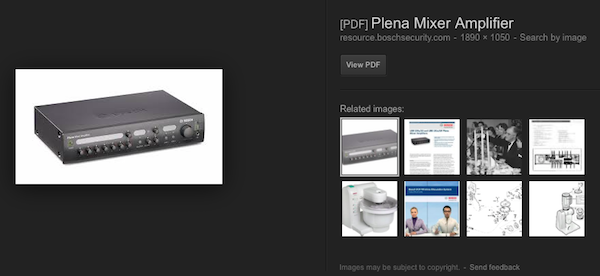
I'm not sure if this is a new feature, but I noticed that Google indexes images from PDF files. Google adds "[PDF]" next to the title of the page and offers a single option: "view PDF", since it can't link to an image from a PDF file.


Back in 2008, Google started to use OCR to index the full text of scanned PDF files. Now Google extracts images from PDF files and makes them searchable.

Here's an example of query that returns many images from PDFs: [google pdf site:static.googleusercontent.com].

August 5, 2015

Convert Notes to Documents in Google Keep for Android

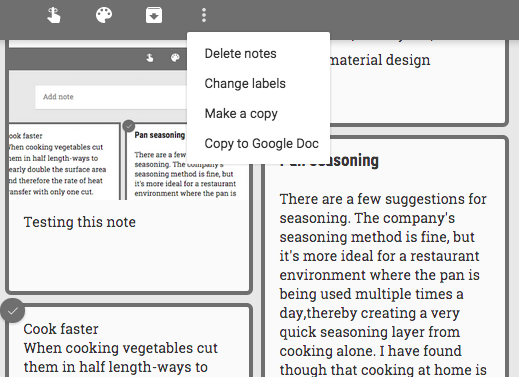
The latest version of the Google Keep app for Android lets you export your notes to Google Docs, just like the desktop site. Open a note, tap the menu button and pick "copy to Google Doc".


You can also select multiple notes and use the same feature to export your notes to a Google Docs document.

If you don't have the latest version of the Google Keep app yet (3.1.313), you can download the APK file from APK Mirror. According to Android Police, "the APK is signed by Google and upgrades your existing app".

Export All Your Google Keep Notes

How to export all your notes from Google Keep? I found two ways to do this.

One option is to use a feature that converts one or more notes to a Google Docs document.

1. Select all your notes: go to Google Keep and press Ctrl+A (or Cmd-A for Mac).

Important: This only selects the notes from the current view, so archived notes aren't included. You can repeat these steps for archived notes or select all your archived notes and unarchive them.


2. Click the 3-dot icon from the top of the page and pick "Copy to Google Doc".

3. Wait a few seconds and you should see a link at the bottom of the page that says: "Open doc". Click that link to open the document that includes all your notes.


Another option is to use Google Takeout and export all your notes as HTML files. Google Takeout exports all your notes, including archived notes and notes from the Trash.


You'll get a ZIP archive with HTML files for each note. The archive may also includes image and audio files. If a note doesn't have a title, the exported HTML file will use the date in the filename.

August 4, 2015

YouTube Only Updated The HTML5 Player

There's something interesting about the latest YouTube player update: it's the first time when YouTube only updates the HTML5 player.

Since it's no longer that easy to force YouTube to switch to the Flash player, I've used an old version of Firefox (22.0). YouTube defaulted to the Flash player, the same old player before the recent update.


I've switched to the HTML5 player using youtube.com/html5 and YouTube displayed the new player, just like it does in the latest versions of most desktop browsers.

It's obvious that the Flash player has been deprecated and it's still used for older browsers and a small percentage of premium videos. If you're using the latest version of Chrome, Firefox, Safari, the HTML5 player is used by default and you can't even switch to the Flash player.

For some reason, the system requirements page from YouTube's help center still mentions that you need Adobe Flash Player to watch YouTube videos.

August 3, 2015

YouTube's New Desktop Player, Available for Everyone

After a few months of testing, the new desktop player for YouTube replaces the old one. The new HTML5 video player uses a transparent control bar that hides when you're not using it and has new buttons and dropdown menus.


"Our new player design has a bit more polish, gets out of the way of your video playback, and scales to any screen or embed size," informs YouTube. The TestTube page no longer lets you switch back to the old player and it only shows this message: "This browser is using the new YouTube player".


{ via YouTube }

Delete Recommendation History in Google Play Music

Google Play Music's desktop site has a new feature that lets you delete history. At the bottom of the settings page, there's a new section called "delete recommendation history". According to Google, this "removes the history used to give you recommendations and customize radio. This will not remove ratings and play counts on individual tracks."


Google shows a long list of recommended radios and albums and you can manually remove them by clicking "not interested" for each radio and album. After using the new "delete recommendation history" feature, I expected to see that all recommendations are removed and Google will start to show new suggested albums and radios based on the songs you play from now on. Unfortunately, that's not the case: Google still shows similar recommendations.

Speaking of historical data, it's surprising that Google Play Music still doesn't have a feature that shows all your recently played songs. It should be an auto playlist, just like "last added" and "thumbs up" and users should be able to export it.

{ Thanks, Camilo Moreira. }

Google Updates Ad Settings

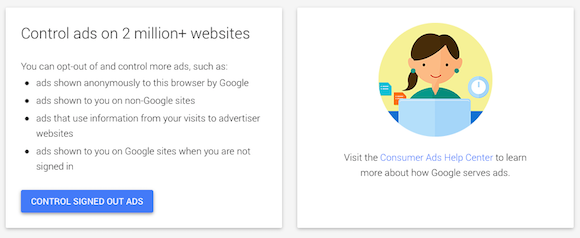
Google has recently updated ad settings pages, which have a new design and more information about your options. You can still disable ads based on your interests from both Google sites and third-party sites. When you do that, you'll still see ads, but they "will not be based on data Google has associated with your Google Account, and so may be less relevant".

Until now, Google's ad settings page had 2 sections for interest-based ads on Google sites and non-Google sites. Google changed this: there are now separate pages for signed-in ads and signed-out ads. When you are signed in to a Google account, Google can use data associated with your account: Google search history, YouTube history, Google+ profile, manually added interests and more.


The section for signed-out ads has 2 separate settings for "ads based on your interests on websites beyond google.com" and "Google Search Ads based on your interests". Google uses your previous searches and browsing history to improve search ads, but you can disable this feature. AdSense ads also use your browsing history and anonymous demographic details to improve ads. Signed-out ads rely on cookies tied to anonymous data.


"You can control the ads that are delivered to you based on anonymous information by editing these settings. These ads will more likely be useful and relevant to you and your Google services, such as search," informs Google.


Google's help center has more information. "To opt out of all of Google’s interest-based ads on your browser, you'll need to opt out in 3 places: once when you're signed in to Google products, once when you're signed out, and once for ads on the Display Network ('websites beyond google.com'). The reason for the different opt-outs is that Google uses different information to target ads, depending on how you're interacting with Google and whether you're signed in with your Google account."

{ Thanks, Herin Maru. }